
CS Mobile App
Online Dental Practice Mobile Software
With CareStack's Mobile App, providers stay connected and informed anytime, anywhere. Whether you're checking your day's schedule between procedures, looking up patient details on the go, creating a prescription right after an exam, or messaging a patient back from outside the office, everything you need is right in your pocket, fully integrated with the CareStack platform your practice already runs on.
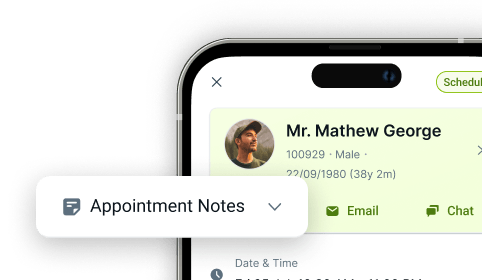
View your daily appointments at a glance, switch effortlessly between list and calendar views, block operatory slots to manage availability, and access complete patient information including medical alerts, treatment history, prescriptions and contact details. Need to reach a patient? Call, email, or chat directly from the app, with Iris integration for unified patient conversations and optional VoiceStack support for click-to-call.
Built for the way modern dentists actually work, the Mobile App gives providers real-time visibility into their schedule, their patients, their prescribing workflows, and their communications, without being tied to the front desk computer.
For the ultimate dental software, choose the solution that’s scalable for growing dental start-ups or large DSOs and still affordable for small mobile providers and single-office dental practices. Choose CareStack!
Key Benefits
Why Practices Love CareStack's Mobile App
View your daily schedule and appointments from anywhere.
Manage availability with on-the-go slot blocking.
Access complete patient information instantly from your mobile device.
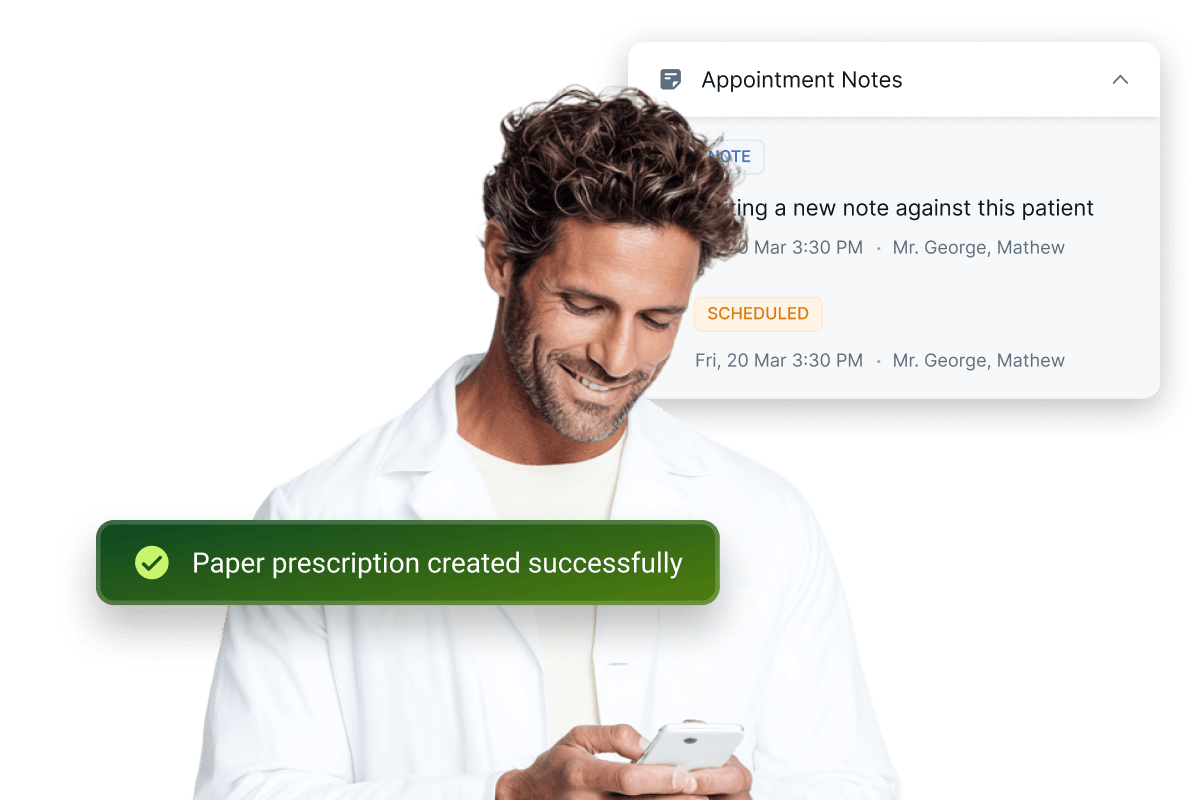
Create, manage, and download both Paper and E-Prescriptions on the go.
Call, email, or chat with patients directly from the app.
Stay connected through IRIS, CareStack's integrated communication hub.
Works seamlessly alongside CareStack's existing scheduling and clinical workflows.
CareStack for iOS
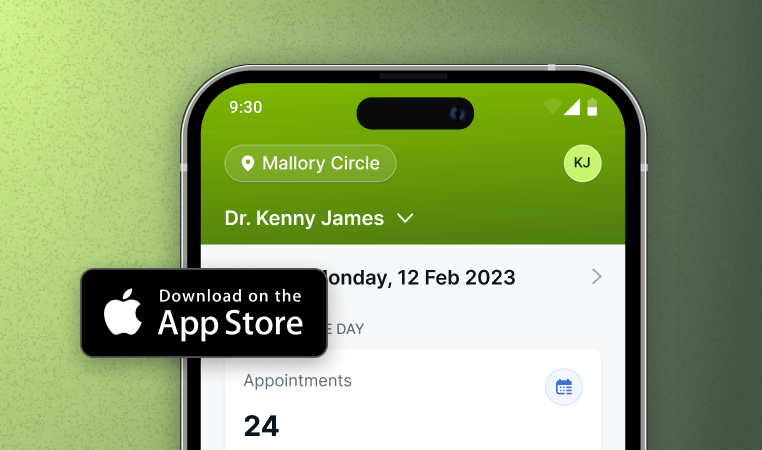
Manage your dental practice from anywhere with the CareStack iOS app.
CareStack for Android
Stay connected to schedules, patients, and performance on the go.
Main Highlights
CareStack Mobile App for Modern Dental Practice Networks
Daily Schedule at a Glance
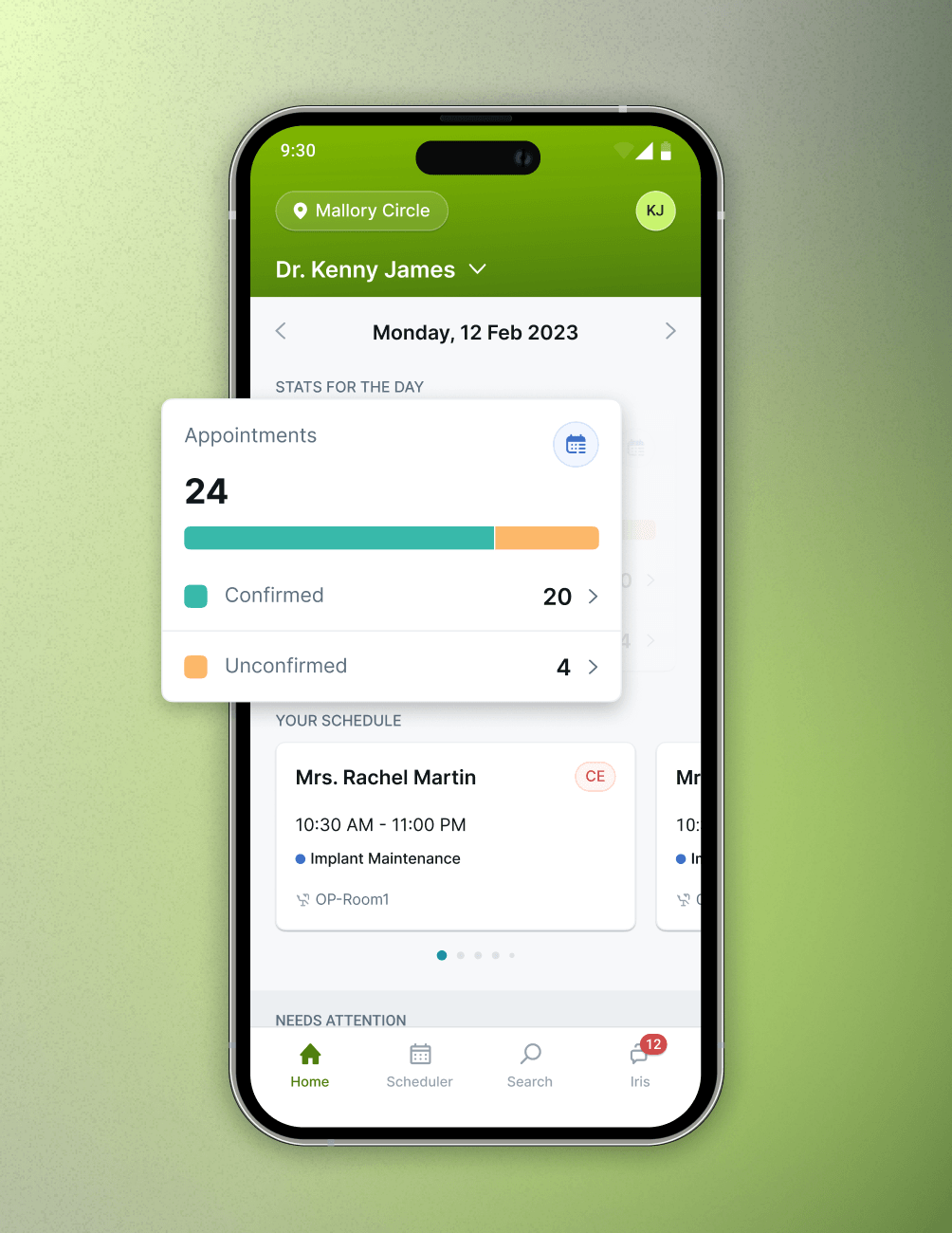
- Home Screen View
View the day's appointments right from the Home screen.
- Quick Counts
See Confirmed, Unconfirmed, and Total appointment counts at a glance.
- Tap to Drill In
Tap any count or appointment to drill into details.
Scheduler & Slot Blocking
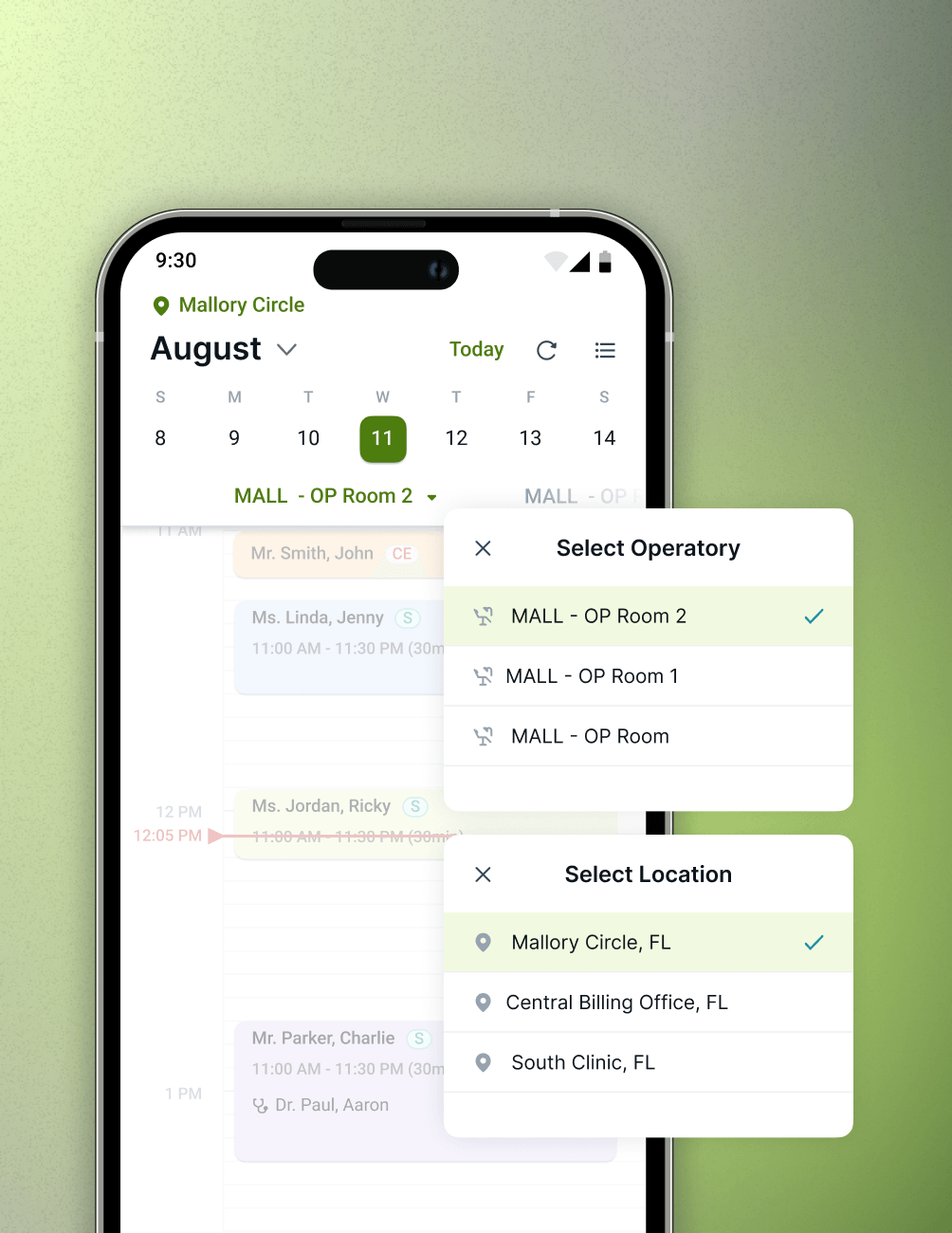
- List or Calendar
Toggle between Appointment List and Calendar Views.
- Smart Filters
Filter by status, location, or provider to focus on what matters.
- Slot Blocking
Block operatory slots and switch operatories from the Scheduler.
Appointment & Treatment Details
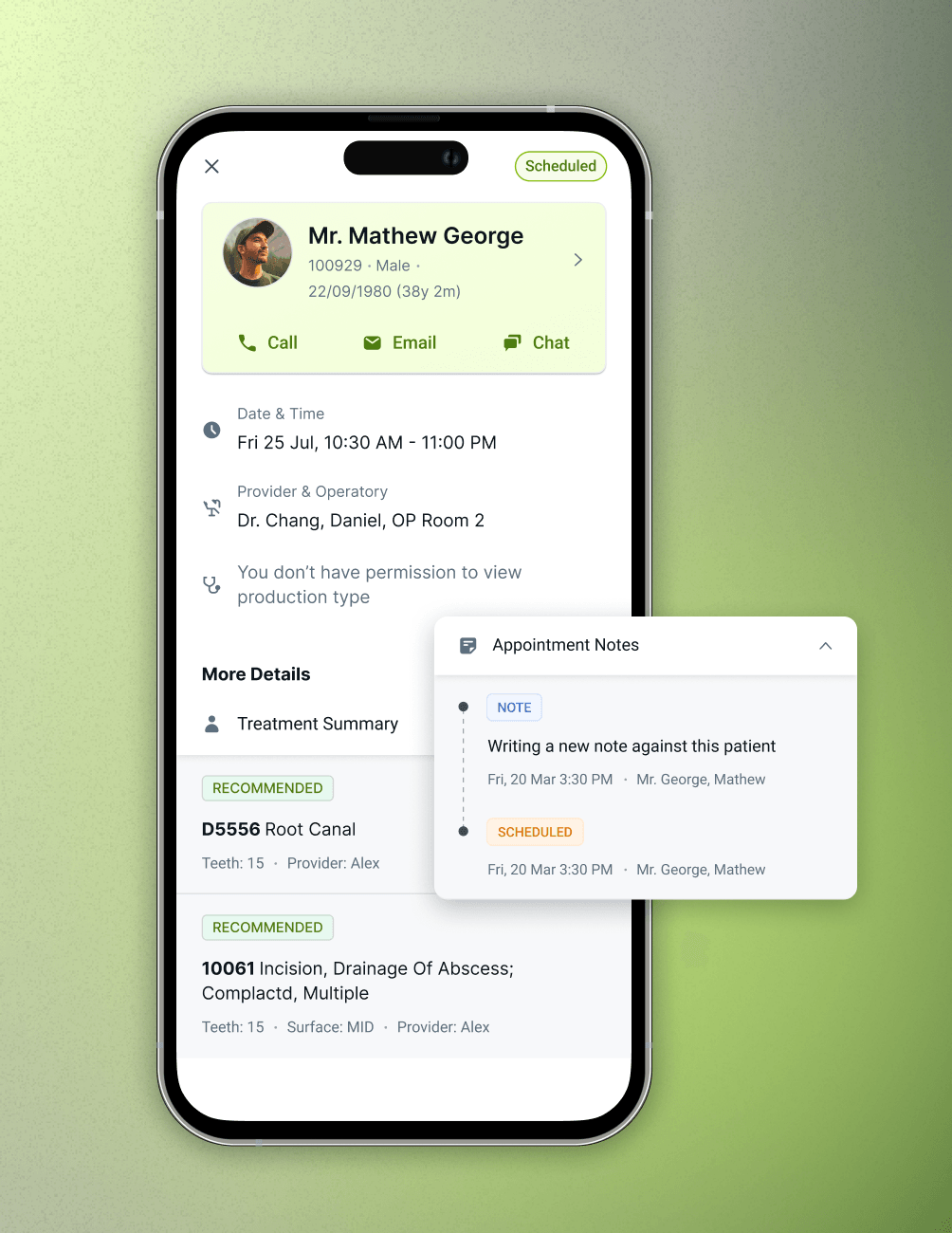
- Unified View
View treatment summaries, status, and notes in one place.
- One-Tap Navigation
Jump from any appointment to the full Patient Details page.
- Real-Time Sync
Stay in sync with real-time updates from CareStack.
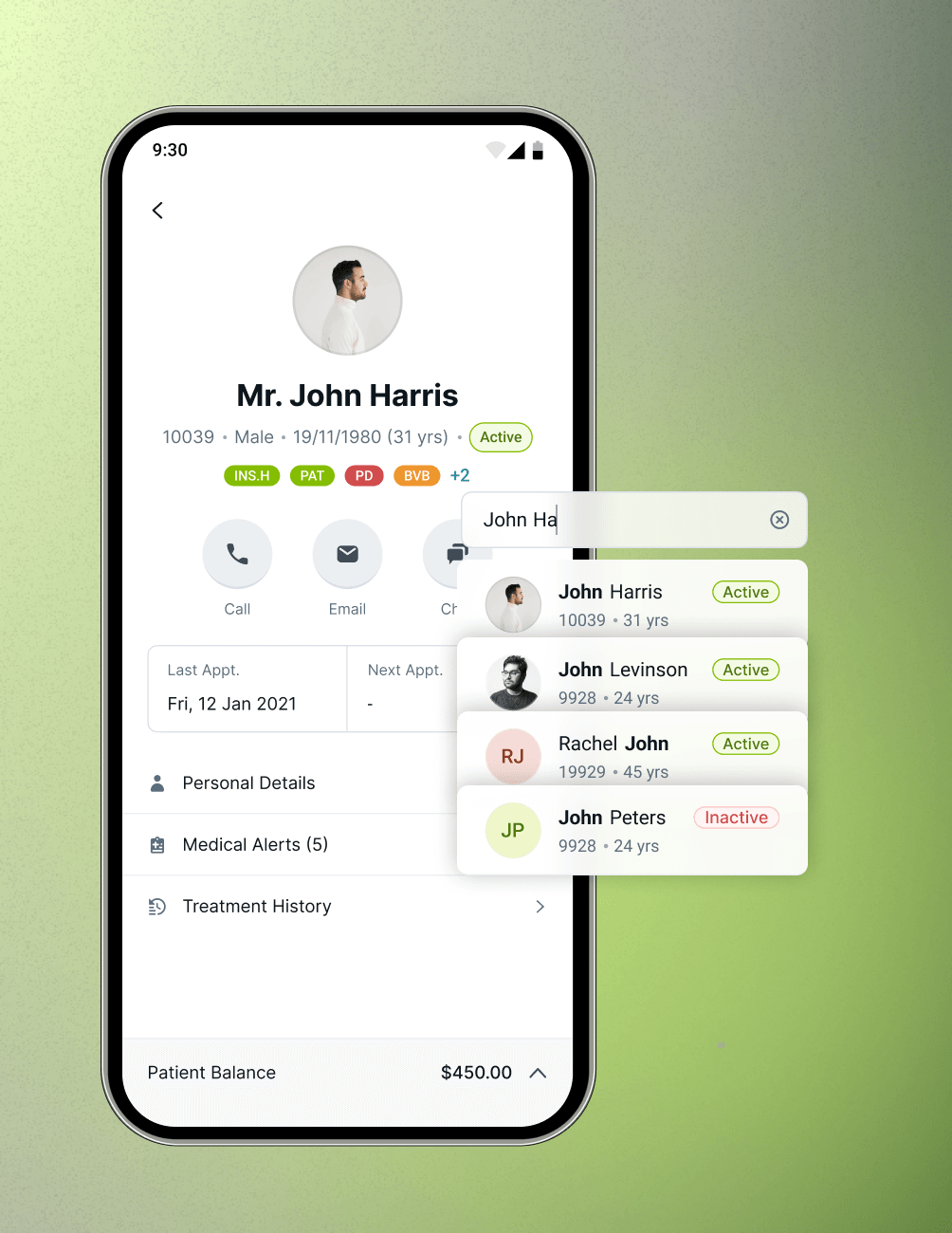
Patient Information On-the-Go
- Quick Search
Search by name or patient ID, with recent searches on top.
- At-a-Glance Profile
See personal details, last visit, and next scheduled appointment.
- Clinical Context
Review Medical Alerts, Treatment History, and notes anytime.
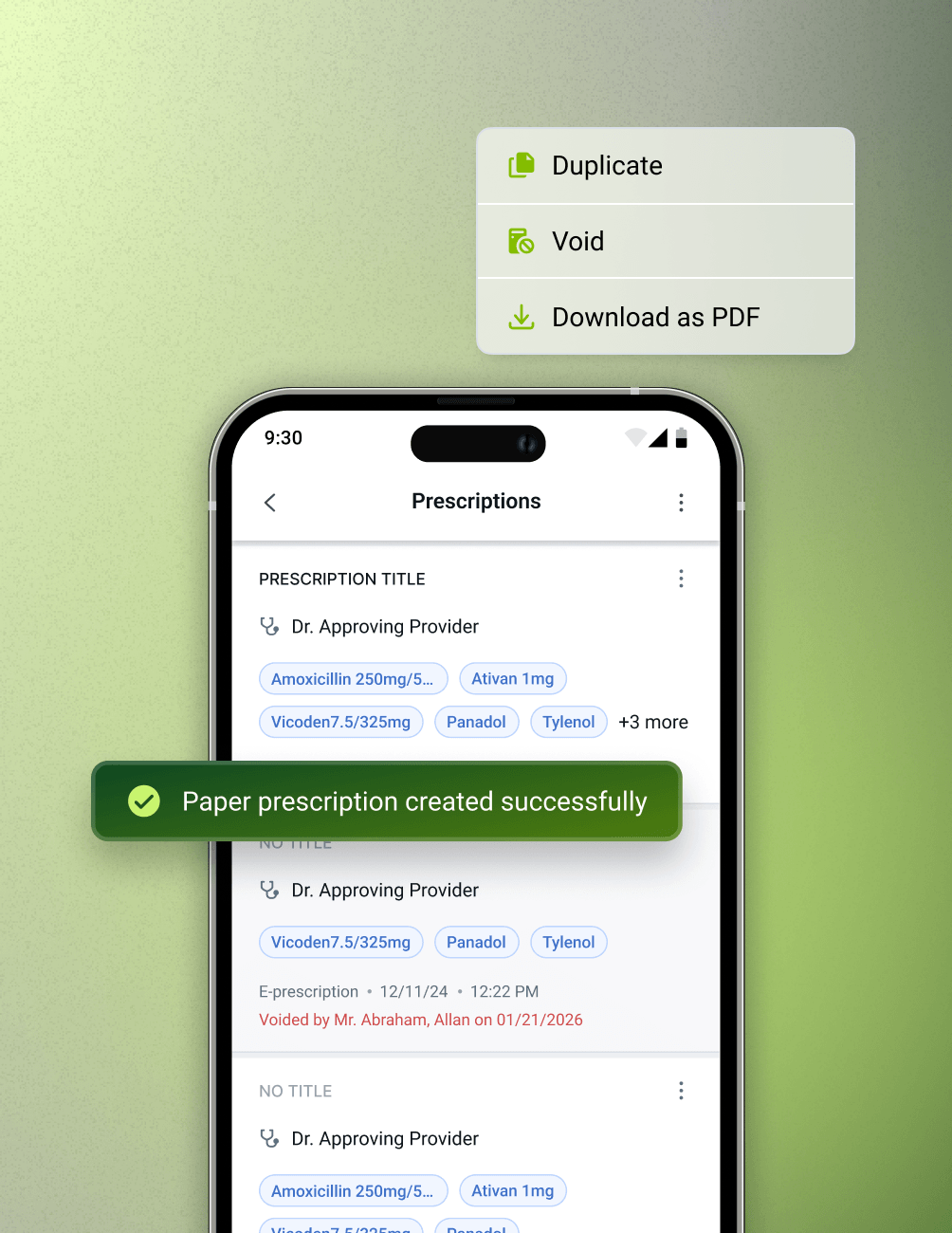
Prescription Management
- Dual Prescription Types
Create Paper and E-Prescriptions directly from Patient Details.
- Prescription Actions
Duplicate, void, or download prescriptions as PDF.
- DoseSpot Integration
Launch DoseSpot WebView for seamless e-prescribing.
FAQ
Why CareStack Is the Best Dental Practice Management Software
The CareStack Mobile App is CareStack's mobile companion built for providers, giving them access to their daily schedule, patient information, slot management, prescription management, and patient communication directly from their mobile device, anytime and anywhere.
The app is built specifically for providers who need real-time visibility into their schedule, patient details, and communications without being tied to a front desk computer. It supports the way modern dentists actually work, on the move, between procedures, and outside the office.
Yes. The Home screen shows your scheduled appointments for the day along with a quick summary of Confirmed, Unconfirmed, and Total appointments. You can tap any count to jump directly into a filtered list view of those appointments.
Yes. From the Calendar View in the Scheduler, providers can block and update operatory slots for any selected day. You can also switch between operatories using the dropdown at the top of the Scheduler.
You can view a patient's personal details (mobile, email, emergency contact, address, subscription info), Medical Alerts (conditions, allergies, current medications), Treatment History, last appointment, and next scheduled appointment, all from the Patient Details page.
Yes. The Patient Details page lets you initiate Call, Email, or Chat actions instantly. If VoiceStack is enabled for your practice, the Call option opens directly in VoiceStack for a seamless calling experience.
IRIS is CareStack's integrated patient communication hub. From the IRIS section inside the CareStack Mobile App, providers can see an aggregated view of all patient conversations in one place and start new chats with patients directly from the app.
Yes. Everything you see and do in the CareStack Mobile App is synced with your CareStack platform, so your schedule, patient details, and communications stay accurate and up to date no matter where you're working from.
Yes. The CareStack Mobile App supports E-Prescriptions through an integrated DoseSpot experience, similar to the desktop application. When users select the E-Prescription option within the mobile app, the integrated DoseSpot WebView is launched, allowing providers to access and manage e-prescribing workflows directly from the mobile app.
support@carestack.com

Trusted by 3000+ Dental Practices
CareStack’s cloud dental software provides efficient practice management, world-class support, and modern tools and technology.