




Clinician Payroll
Online Dental Payroll Management Software
Managing payroll is an essential aspect of every dental practice's operations, and with CareStack's Clinician Payroll, you can run payroll accurately and securely on your schedule, without juggling spreadsheets or third-party tools. From initial setup to recurring monthly, weekly, or fortnightly runs, every piece of payroll data is handled with the confidentiality and precision your practice and clinicians deserve.
Generate payroll in just a few clicks using flexible pay frequencies (Monthly, Weekly, Fortnightly, or Custom), filter by location, and choose exactly which clinicians to include in each batch. Lab case costs, daily minimum guarantees, revenue adjustments, and payroll additions or deductions are all factored in automatically, so your numbers stay accurate from generation to publication.
With built-in review workflows, status tracking (Pending Review, Published, Partially Published), and full payroll history, your team always knows where every batch stands. Drill down to individual entries, view per-location breakdowns for multi-site clinicians, download single payrolls or entire batches, and void payrolls when corrections are needed.
For the ultimate dental software with seamless Google connectivity, choose the solution that's scalable for growing dental start-ups or large multi-site practices and still affordable for single-location dental practices. Choose CareStack!

Key Benefits
Why Practices Love CareStack's Clinician Payroll
Run clinician payroll directly inside CareStack without any external tools.
Flexible pay frequencies: Monthly, Weekly, Fortnightly, or Custom date ranges.
Automatic lab case cost and daily minimum guarantee calculations.
Multi-location support with per-location payout breakdowns.
Built-in review and approval workflow before publishing.
Full payroll history with download and void options for complete control.
Main Highlights
Clinician Payroll for Modern Dental Practice Networks

Flexible Payroll Generation
- Flexible Generation
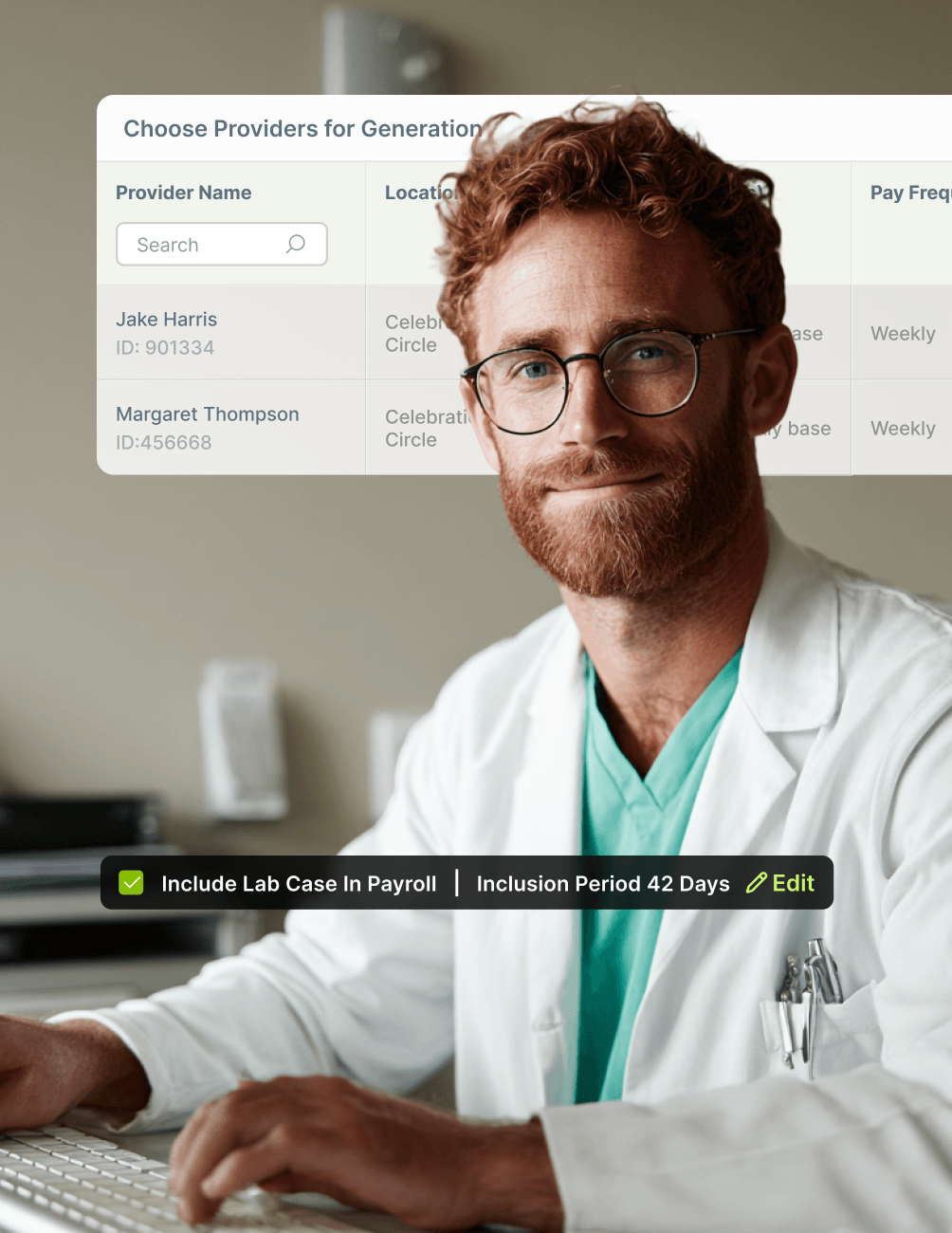
Generate payroll by location, pay frequency, and clinician selection.
- Multiple Pay Cycles
Choose Monthly, Weekly, Fortnightly, or Custom pay frequencies.
- Auto-Populated Dates
End dates auto-populate for standard frequencies; custom ranges are fully editable.
- Bulk or Targeted Selection
Select all clinicians in one click or pick specific ones for the batch.
- Duplicate Prevention
Only one active payroll per clinician per date range, preventing duplicates.
Lab Case & Minimum Guarantee Handling
- Inclusive Lab Costs
Include lab cases in payroll even when lab case deduction is enabled.
- Default Date Logic
Lab cases are pulled by the received date within the selected payroll period by default.
- Custom Date Range
Customise the lab cost date range with a single click when needed.
- Manual Cost Edits
Manually edit Total Lab Case Cost during review for full accuracy.
- Adjustable Working Days
Edit the number of working days for Daily Minimum Guarantee calculations.
Review & Publish Workflow
- Pending Review Routing
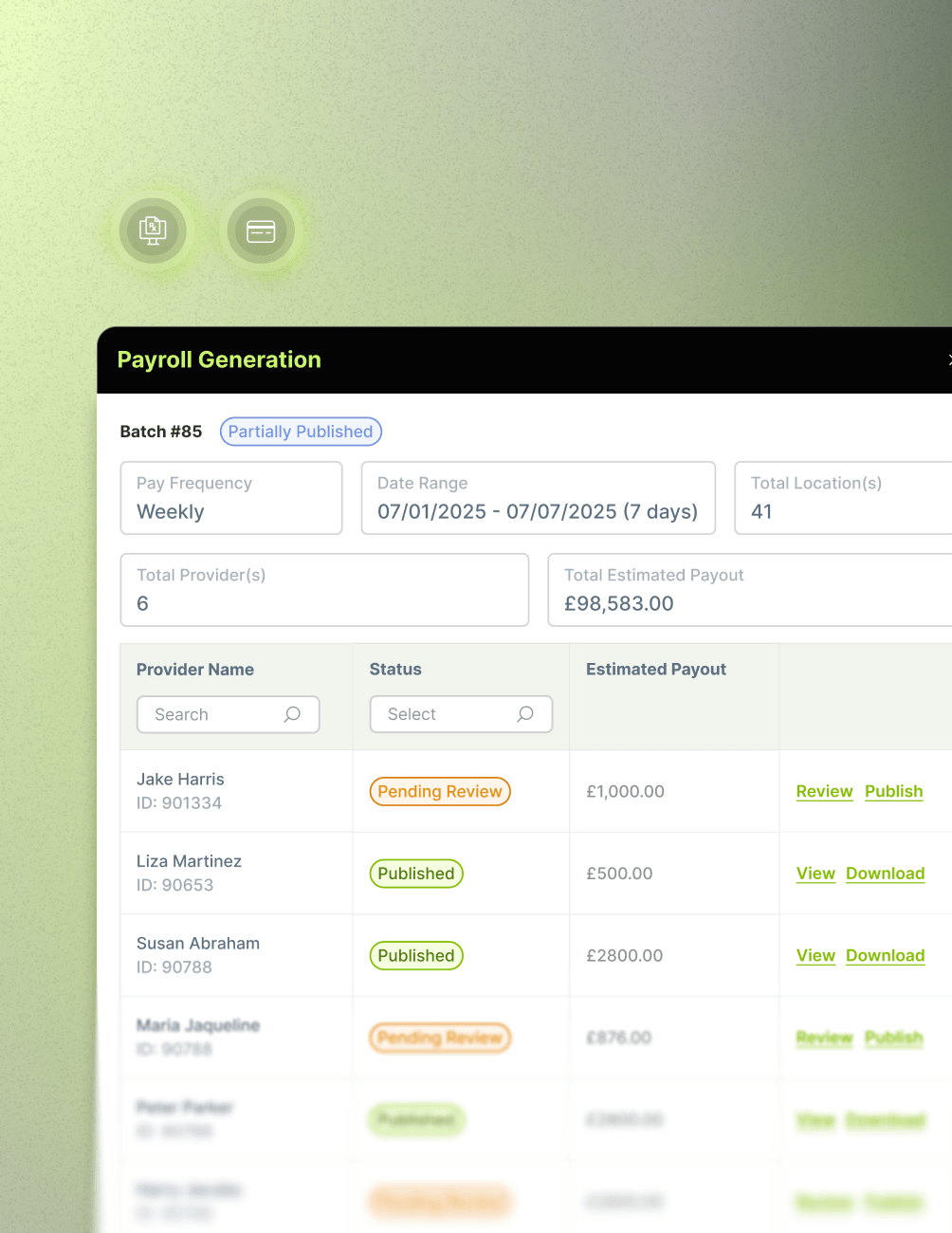
Payrolls with lab cases or minimum guarantees route to Pending Review for approval.
- Auto-Publish
Payrolls without lab cases auto-publish directly to the Published status.
- Partial Status
Mixed batches show Partially Published until all entries are reviewed.
- Location-Level Review
Review payroll values per location before publishing.
- One-Click Publish
One-click Publish moves approved payrolls into the final status.
Detailed Payroll Insights
- Full Summary View
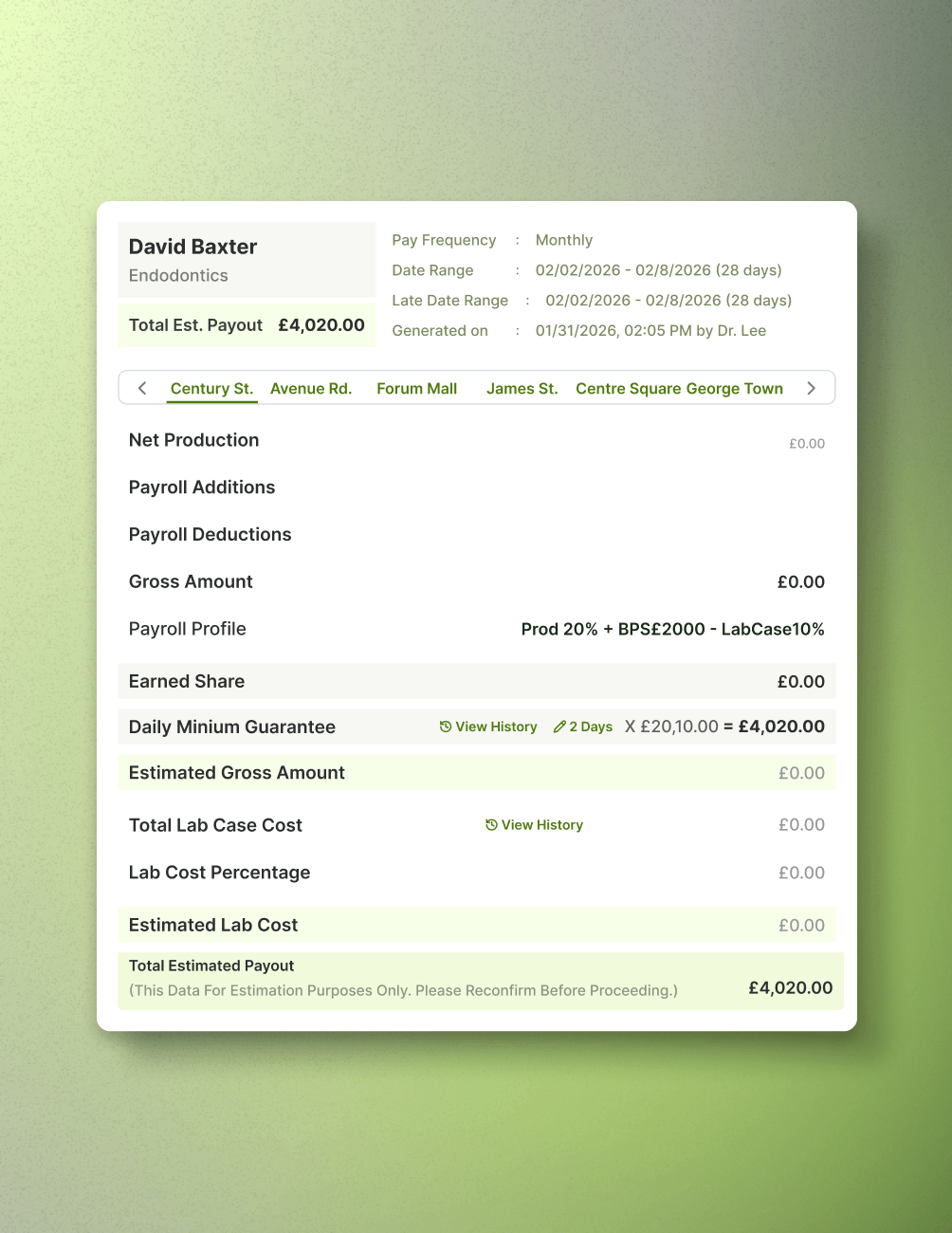
View full Payroll Summary including Gross Revenue, Net Revenue, Additions, Deductions, and Gross Amount.
- Detailed Metrics
See Earned Share, Minimum Guarantee, Estimated Gross, Lab Cost Percentage, and Estimated Lab Cost.
- Guarantee Indicator
An "M" indicator flags clinicians receiving the Daily Minimum Guarantee.
- Per-Location Breakdown
Multi-location clinicians get a per-location payout breakdown.
- Drill-Down Access
Click any amount to drill down into the underlying calculation.
Payroll History & Management
- Full History Access
Access every previously generated payroll batch from Payroll History.
- Batch Criteria View
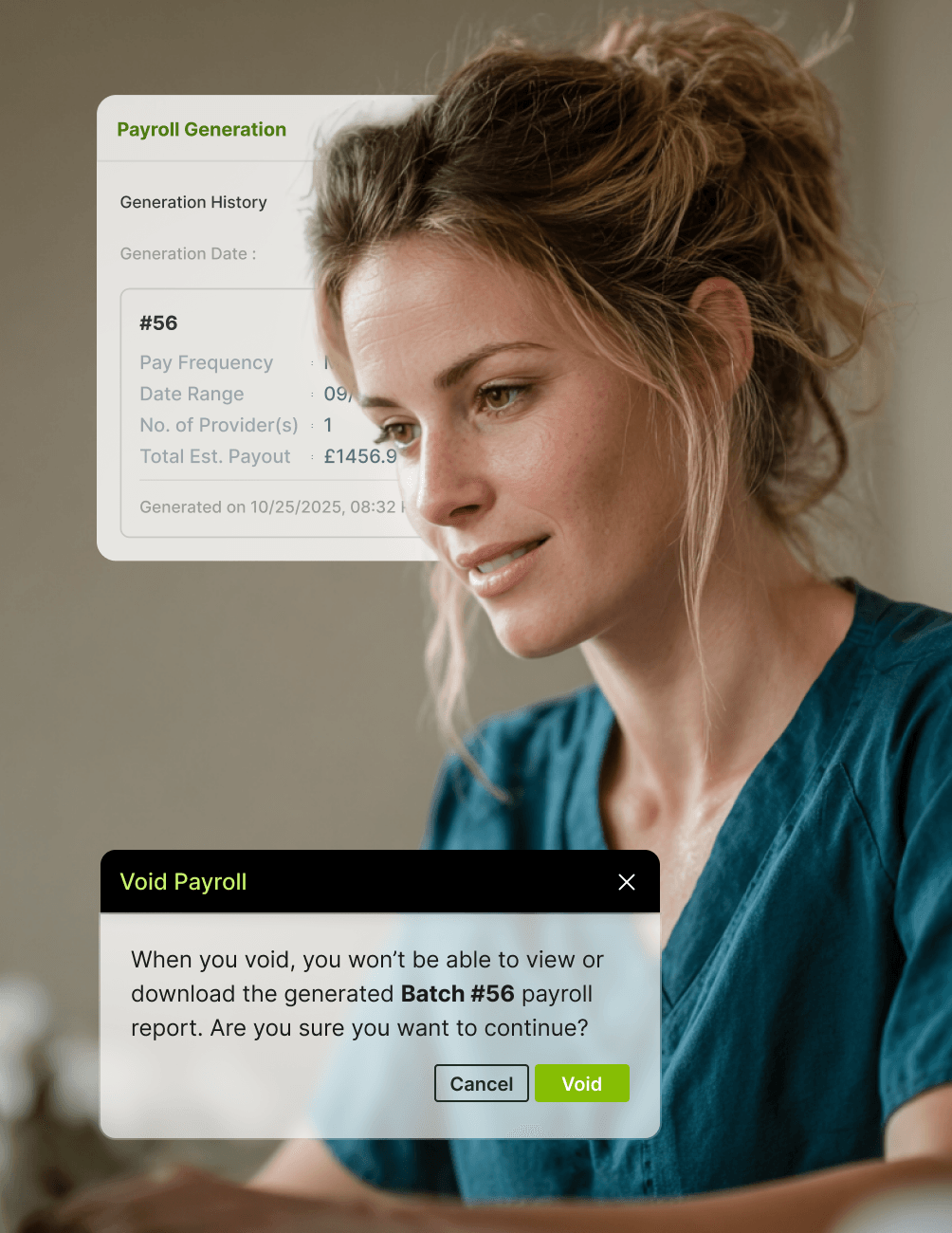
View the batch criteria, including Pay Frequency, Date Range, Locations, Clinicians, and Estimated Payout.
- Flexible Downloads
Download an individual clinician's payroll or the entire batch.
- Historical Logs
View the Daily Minimum Guarantee history and lab cost history at any time.
- Void Batches
Void an entire payroll batch when corrections are required.
FAQ
Why CareStack Is the Best Dental Practice Management Software
Clinician Payroll is CareStack's built-in payroll management feature that lets UK dental practices generate, review, and publish clinician payouts directly inside the system. It handles revenue calculations, lab case costs, daily minimum guarantees, additions, and deductions in a single secure workflow, removing the need for spreadsheets or third-party payroll tools.
You can run Clinician Payroll on a Monthly, Weekly, Fortnightly, or Custom date range. For standard frequencies, the end date is set automatically based on the start date. For Custom periods, you can freely choose both the start and end dates.
By default, lab cases are included based on their receipt date within the selected payroll period. You can also customise the date range or manually edit the Total Lab Case Cost during the review step. The "Include Lab Case in Payroll" option lets you pay lab costs even when lab case deduction is enabled on the profile.
Yes. During review, you can manually edit the Total Lab Case Cost and the number of working days used for the Daily Minimum Guarantee. Both edits are tracked inside CareStack, and you can view their history at any time, supporting full audit transparency.
For clinicians working at multiple locations, the payroll includes a summary section showing payouts per location, along with a detailed breakdown of how each location's payout was calculated. This gives complete transparency for multi-site practices and supports accurate financial attribution per site.
Yes. You can download an individual clinician's payroll from the View screen or download the entire batch using the Download All option at the top right of the batch view to support external reporting, accountant reviews, or partner discussions.
You can void an entire batch using the Void option. Once voided, the batch is nullified, and since only one active payroll can exist per clinician per date range, voiding is required before generating a replacement payroll for the same period.
Yes. Clinician Payroll is built for both single-location practices and multi-site dental groups, with location-level filtering, per-location payout breakdowns for clinicians working across sites, and centralised payroll history that scales from growing practices to large DSOs.
support@carestack.com

Trusted by 300+ Dental Practices
CareStack’s cloud dental software provides efficient practice management, world-class support, and modern tools and technology.
































RELATED FEATURES
Everything You Need. All in One Place.